Choose an interactive map for your task
Use a filtered AION 2 interactive map for resource, Hidden Cube, or pet routes, and switch to a 3D height map whenever a marker sits above or below you. AION 2's terrain mixes floating ledges, cliffs, and underground caves, so plan the approach path as well as the destination pin.
| Tool | Best use | Useful controls |
|---|---|---|
| Aion2T Interactive Map | Gathering nodes, Hidden Cubes, and monster/pet routes | Zone selector, search and category filters |
| Aion2Maps | 3D heights, cave access, and collection progress | Voxel terrain, height cards and progress export/import |
| Aion2Hub Maps | Alternative resource and zone map | Filters and route planning |
The old aion2.app/map address redirects to Aion2T. Choose your service region in the tool and compare unclear locations with the in-game map.
Aria herb markers in Verteron on Aion2T.
Select the right faction and zone
The Elyos starting map is Verteron; the Asmodian map is Altgard, while Reshanta covers Abyss flight islands and contested exploration. Dawn Legion Base and Cantas Valley are Elyos landmarks, whereas Safe Haven and Moslan Forest are Asmodian landmarks.
- Check your character's faction and the zone name shown in game.
- Choose the matching zone in the external map's selector.
- Disable unrelated categories, then enable the resource, Hidden Cube, or monster layer you need.
- Confirm a nearby landmark or teleport point before following markers.
- If a route crosses into another faction's territory, assess the PvP or rift conditions before treating it as a routine gathering route.
Show exploration content on the in-game map
Open the large map and its filter settings to show exploration content. Look for Filter Settings → Content or the equivalent labels in your client language. Hidden layers can explain why a collectible appears on an external map but not in game.
- Open the large map and inspect its filter panel before assuming a collectible is missing.
- Enable the relevant content layer, then zoom in so nearby icons are distinguishable.
- Compare the in-game marker with the community map's marker and a visible landmark.
- Use your client's collected/uncollected display where available to avoid repeating a completed stop.
Collect nearby exploration items while leveling. For a dedicated session, clear one area at a time and track completion in your collection screen.
Hidden Cube map and Pet Soul map filters
Interactive maps save hours when hunting account-wide exploration stats and monster soul codex bonuses. Always click Hide All before enabling one target layer so icons do not overlap.
| Map goal | Zones and filters to enable | Field verification tip |
|---|---|---|
| Hidden Cube Map | Verteron, Altgard, or Reshanta → Hidden Cubes / Exploration | Spot glowing red exploration containers, listen for the proximity audio cue, and mark collected stops (F in Aion2Maps) |
| Pet Soul Map | Monster / Pet categories filtered by target family | Farm dense monster clusters to gather souls and level up Pet & Race Understanding |
Finding Hidden Cubes on cliffs and caves
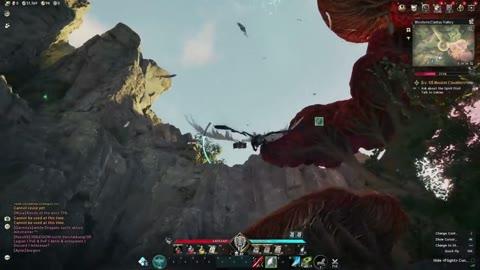
Hidden Cubes are glowing red exploration containers tucked behind waterfalls, cliff ledges, ruined pillars, and Reshanta islands. Because a 2D pin cannot show whether a cube rests on an upper arch or inside a tunnel underneath you, turn up ambient sound effects and listen for the distinct proximity audio cue as you close in. Use Aion2Maps' 3D voxel height cards (Alt see-through lens or Floor slice) to locate the exact ledge, then press F (or toggle the marker's collected state) immediately after opening the cube so you never revisit cleared stops.
Using a Pet Map for soul farming
An AION 2 pet map works by filtering zone monster layers down to the exact creature families whose souls you still need. Select a tight cluster near a teleport statue so your loop respawns continuously while building permanent CP bonuses.
Gathering map: show only the resource you need
An AION 2 gathering map is a filtered resource map. Open Aion2T, select the zone, click Hide All, then enable the relevant resource category. Expand the category and leave only the material you need selected.
| Recipe ingredient | Map layer to inspect |
|---|---|
| Metal or ore | Ore |
| Gemstone | Gems |
| Herb | Herbs |
| Vegetable | Vegetables |
| Wood | Logs |
Copy the material name from the recipe or quest. A similar name may refer to a different quality or a quest-only item. A marker shows a possible location, rather than guaranteeing that a node is present or that your proficiency is sufficient.
Build a practical gathering or collection route
Filter one material, plan the terrain access and record completed stops.
- Match faction and zone
Use the zone displayed by your character, then choose the same zone in the tool.
- Show one resource
Hide unrelated layers and select only the material needed by your recipe.
- Check access and height
Compare landmarks, paths and cave entrances before ordering nearby stops.
- Test and record
Run the compact loop once; note missing nodes, yield and completion before repeating.
- Choose one goal: a crafting material, a Hidden Cube cluster, or an unfinished dungeon/teleport point.
- Filter for that goal and pick a compact cluster near a known starting landmark.
- Order the stops around terrain access, not just straight-line distance. Check ramps, cave mouths and flight access before committing to a loop.
- Add a manageable set of stops using the map's available marker capacity.
- Run the loop once, noting failed gathers, inaccessible points and missing spawns. Adjust the route before repeating it.
For resource runs, record material yield and elapsed time so you can decide whether the loop is useful. Map markers indicate possible node locations. Skip an absent node and continue the route. See gathering for choosing materials and checking skill requirements.
Filter example for Elyos: open Aion2T, select Global → Verteron, click Hide All, enable Herbs and turn off Targena to leave only Aria. For an Asmodian character, select Altgard before choosing a material. The map marks possible node locations; check the node's gathering requirement when you arrive.
Find cave nodes and back up collection progress
| Problem | What to try |
|---|---|
| The marker is at your position, but the node or cube is missing | Check the marker card's height, listen for audio cues, and inspect cave entrances or ramps |
| Rock or a roof hides the location in Aion2Maps | Hold Alt for the see-through lens, or change Roofs over paths in Settings |
| Several floors overlap | Use Floor slice or PgUp/PgDn to inspect vertical layers |
| No resources appear | Confirm the zone, resource layer and search; clear a previous search if necessary |
| A node is absent | Skip it and continue; a map marker is not a live spawn indicator |
| A completed collectible remains on the route | Mark it complete with F in Aion2Maps and compare with in-game progress |
Aion2Maps stores progress in the current browser. Before clearing browser data or moving to another device, open Settings → Your progress → Export progress and keep the file. Use Import… in the destination browser to restore it. Keep a separate note of completed zones during long sessions.
Use gathering for node requirements, promotion blocks and comparing material yield.
Use the database guide to look up an item's stats and acquisition route.